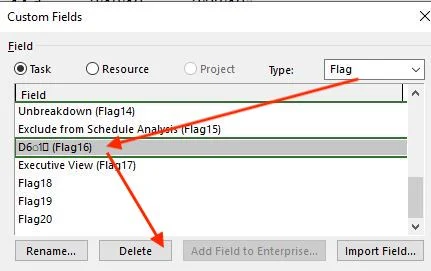
This can be caused by a rouge title in the custom flag Flag16. The fix is straightforward:
Right-mouse click on any column > Custom Fields
Select Flag in the top-right
Select Flag16
Delete
OK
Then either
Click the Reset Button (2nd button from the far right on the toolbar) or
Save and Exit the project then re-open it.